Apple TV Self-Hosted No Cloud
Your media library, on the big screen.
MinerTv is the Apple TV companion for Miner, the self-hosted media server that runs on your own computer or NAS. Connect once over your home network and browse your entire photo and video collection — from the comfort of your couch.
tvOS 17 or later macOS, Linux, or NAS server Local network only

Version 1.0
Screenshots
Every screen, one purpose
Six focused views that turn your Apple TV into the best window onto your own photo and video library.
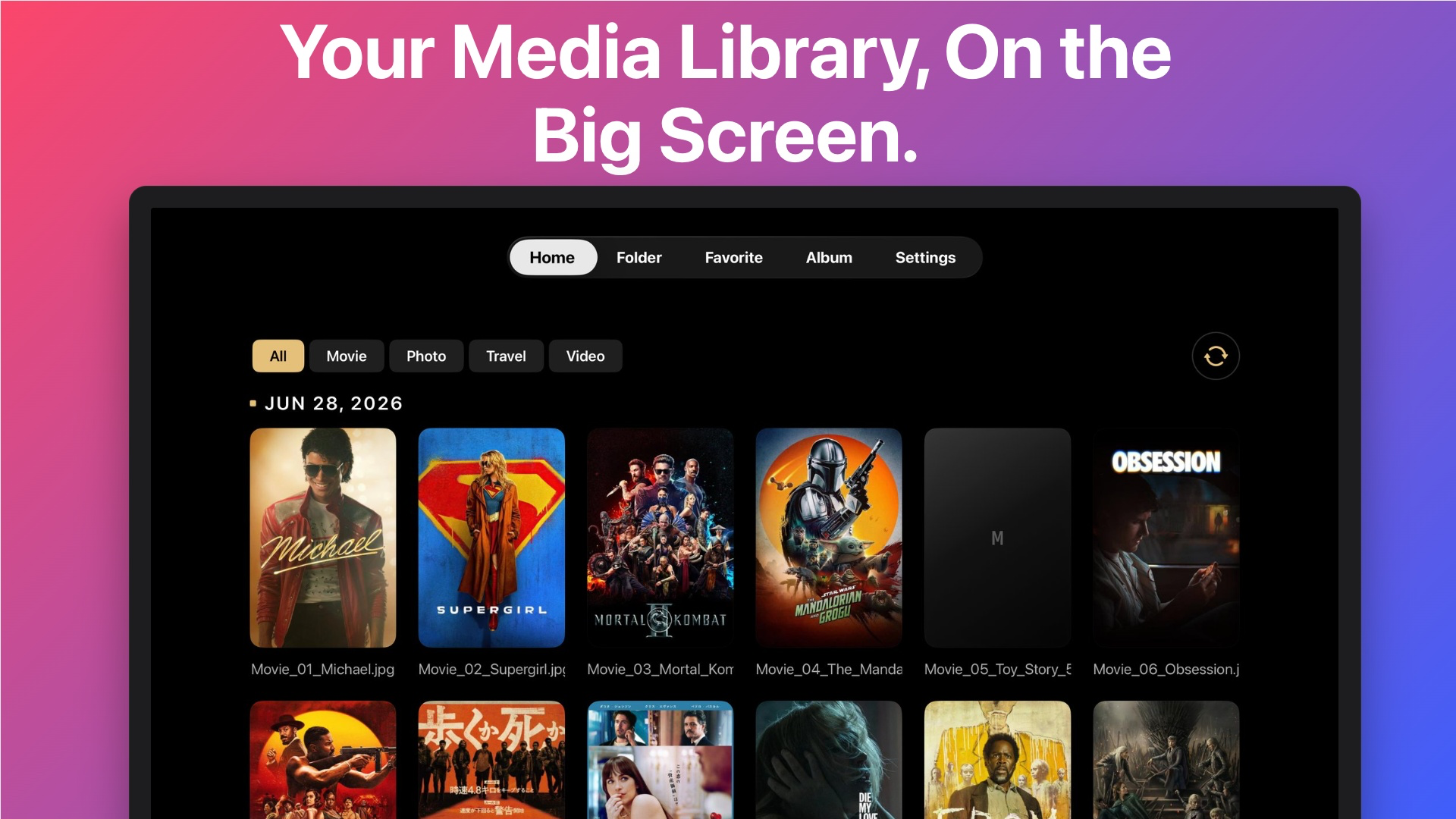
Home — A Time Machine for Memories
Every photo and video grouped by date, with smart pagination that keeps even libraries of hundreds of thousands of items scrolling smoothly.
What you can do
Your memories, the way
they were meant to be seen.
Home — A Time Machine
Every memory grouped by date with smart pagination, so even huge libraries scroll smoothly.
Favorites
Star the photos and videos you love. Filter by All, Photos, or Videos for quick access.
Albums
Curated collections with stacked-card previews. Build them on any Miner client — they show up everywhere.
Folders
Browse your library exactly as it lives on disk. Great for organizing by year, trip, or shoot.
Full-Screen Viewer
AVKit-powered playback with smooth scrubbing, variable speed, and resume-where-you-left-off.
Multi-Library Support
Run separate libraries for Family, Travel, or Work and switch between them right from the Home tab.
Designed for Apple TV
Built for the couch,
not a compromise.
Native SwiftUI app built for tvOS 17+
Full Siri Remote focus engine with parallax cards
Crisp 4-column grids optimized for 1080p and 4K
Dark, theater-friendly interface with a warm gold accent
Menu button always takes you back where you expect
How it works
Up and running in minutes
1
Install the Mac server
Miner is a free, single-binary media server for macOS, Linux, or a NAS. It scans, thumbnails, and serves your library with FFmpeg under the hood.
2
Open MinerTv on Apple TV
On first launch, enter your server's IP address and port, then sign in. Your connection is saved for next time.
3
Browse & play
Your entire collection appears — by day, album, or folder. Everything streams straight from your hardware, fast.
Miner Server for Mac
The free media server MinerTv connects to
Single-binary install — no dependencies to manage
Automatic scanning, thumbnailing, and transcoding
Serves photos & videos over your local network
Powered by FFmpeg under the hood
Runs on macOS, Linux, or a NAS
Free and open — your data never leaves home
Requires macOS 14 Sonoma or later · Apple Silicon & Intel
Download MinerMac.dmg43 MBThen install MinerTv from the App Store on your Apple TV and connect to the server.
Nothing leaves your home network. MinerTv talks directly to your server — no analytics, no third parties, no accounts to create. The only login is the one on your Miner server.