Mac iPhone iPad No Account · No Relay

Your Mac, wherever you are.

RemoteDesk turns your Mac into a secure, responsive remote workspace. Share a Mac screen, then control it from iPhone, iPad, or another Mac over a direct encrypted connection — no account, no servers in between.
macOS 14+ · Universal iOS / iPadOS 18+ TLS 1.3 · Certificate pinning
Mac mini — Hostlive
Pairing Codenever expires
706693
192.168.31.103 · QUIC/UDP 4433 · TLS/TCP 4434
Session StatsH.265 · hardware
Resolution2560×1600
Latency29 ms
Jitter6 ms
Network13 KB/s
Frame Rate60 FPS
Packet Loss0.0 %
certificate pinned ✓direct · no relay
RemoteDesk app icon
Version 1.0
4K
Native resolution
60FPS
Hardware encoded
9
Interface languages
0
Servers in between
Take a look

Built for real work,
not just a quick peek.

01Saved Connections

Every Mac you own, one tap away.

Saved connections look and behave the same on Mac, iPad, and iPhone. Each card carries a live online indicator, the address it dials, when you last connected, and a thumbnail of the remote desktop.
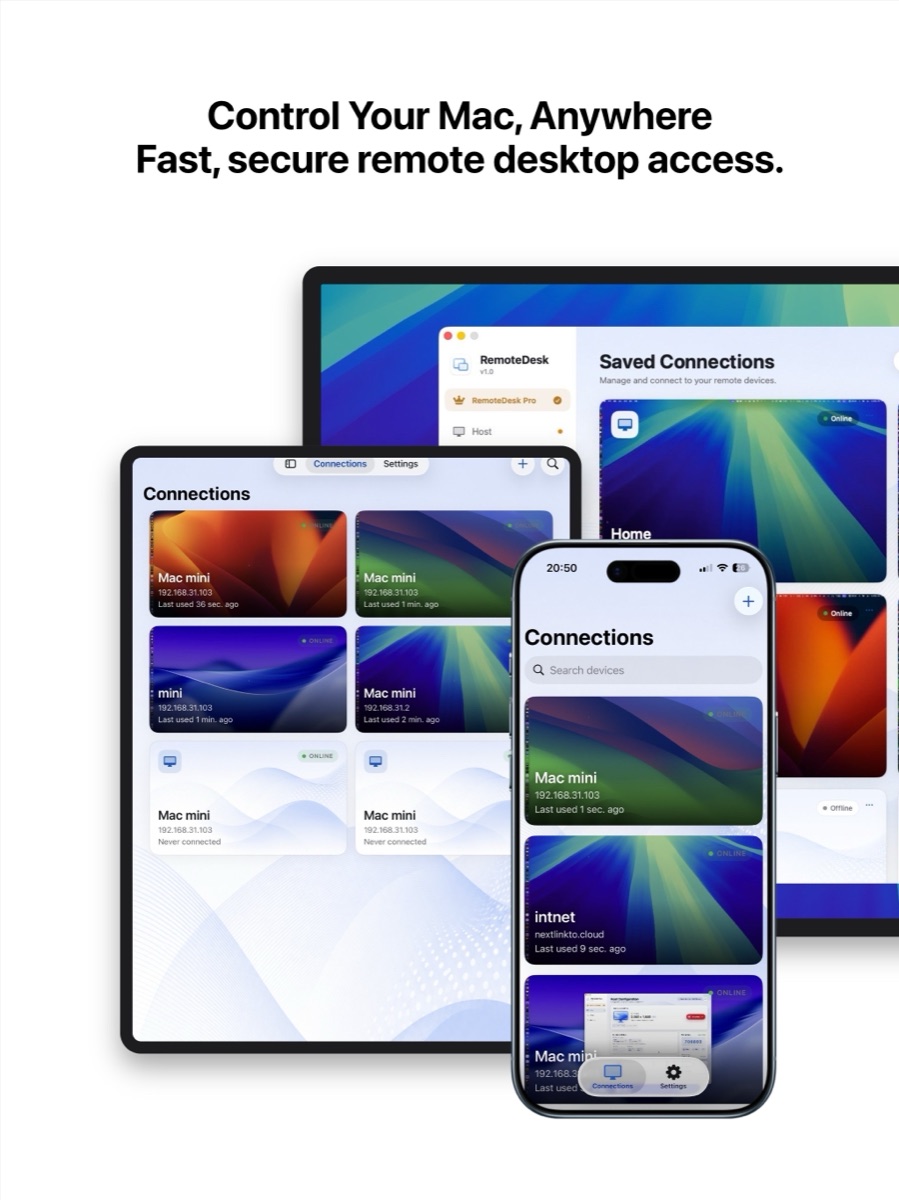
Live online / offline status per connection
Desktop thumbnails so you know what you are opening
Search across every saved machine
Every Mac you own, one tap away.
02Performance

Smooth enough to forget it is remote.

Hardware H.264 and H.265 encoding drive the stream, while a Session Stats panel keeps the numbers honest — resolution, latency, jitter, throughput, and frame rate, updated live while you work.
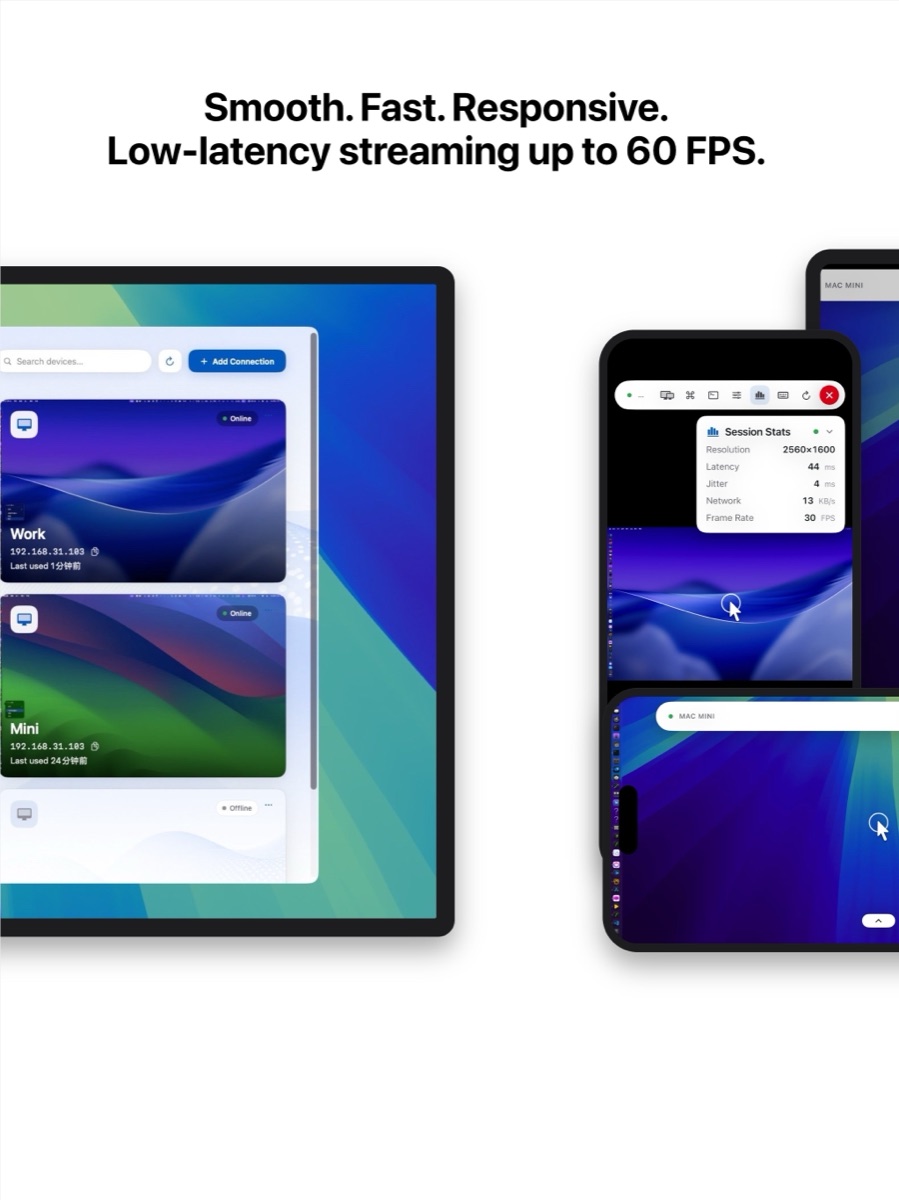
Adaptive bitrate that reacts to the link, not a preset
Latency, jitter, and packet loss visible mid-session
Idle streams throttle to 1 FPS instead of freezing
Smooth enough to forget it is remote.
03Stream Control

You pick the picture. Not an algorithm.

Choose 720p, 1080p, 2K, 4K, or the display's own native resolution. Pick H.264 or H.265, set the frame rate, and tune the keyframe interval — then watch the stats panel confirm the result.
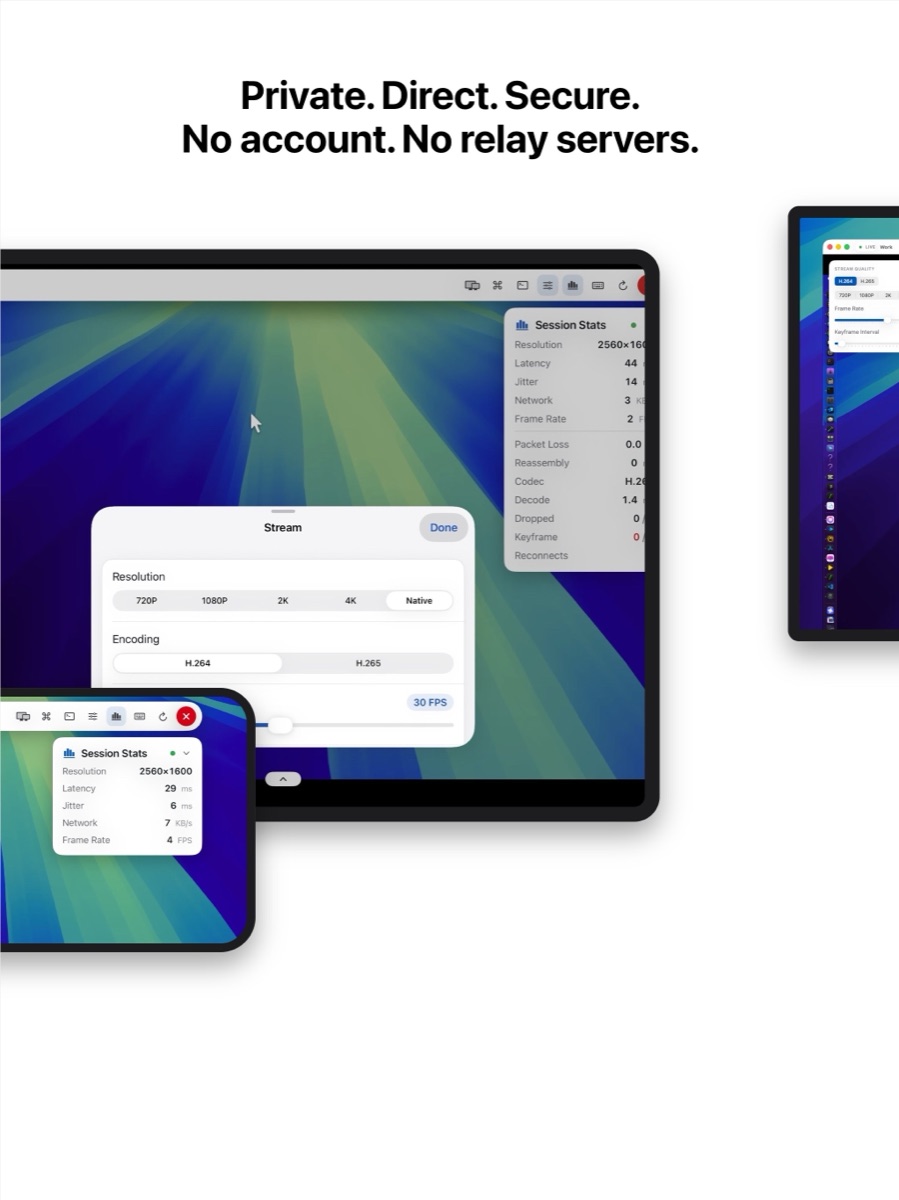
720p through 4K, plus true native resolution
H.264 for compatibility, H.265 for lower bitrate
1–60 FPS dial with adjustable keyframe interval
You pick the picture. Not an algorithm.
04Host & Client

One app plays both parts.

The Host page shows this Mac's addresses, both transport channels, the pairing code, and any permission still missing. The Client page opens as many independent session windows as you need.
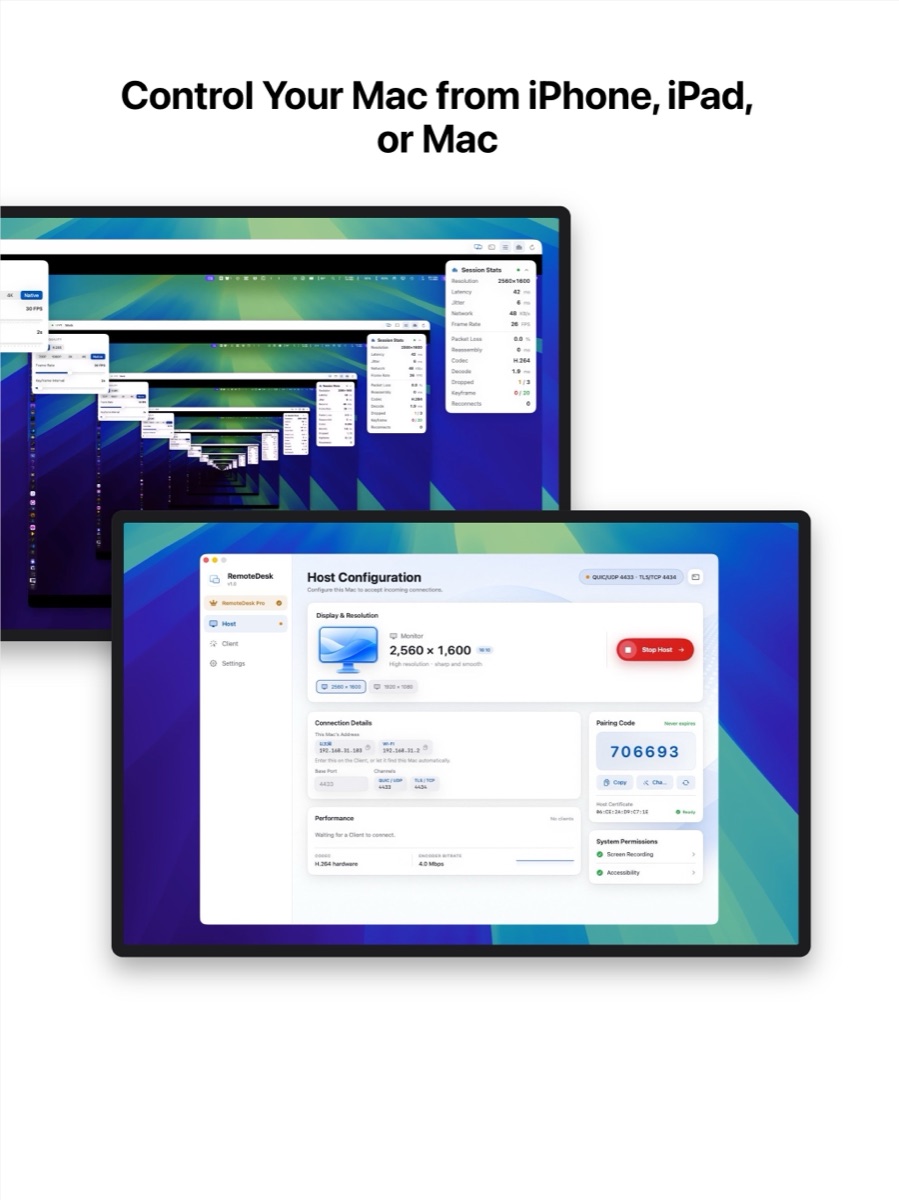
Host a screen and control another Mac at the same time
Pairing code that never expires, certificate pinned on first use
Multiple remote desktops in separate native windows
One app plays both parts.
Features

Everything the session needs.
Nothing it does not.

Host & Control in One App
The same macOS app shares this Mac or drives another one. Run both roles at once — host a screen while controlling a second machine.
Connect From Any Device
Touch, trackpad, and hardware keyboard all map to real Quartz events — drag, right-click, and two-finger scroll included.
Nearby Macs, Found For You
Bonjour discovery lists every Mac hosting on your network, address and port pre-filled. Just type the pairing code.
Up to 4K at 60 FPS
Hardware H.264 or H.265 encoding, from 720p to the display's native resolution, on a 1–60 FPS dial.
Live Session Stats
Latency, jitter, throughput, packet loss, decode time, dropped frames, and reconnects — while the session runs.
Pinned, Encrypted, Direct
TLS 1.3 over QUIC with a persistent pairing code. If the Host's certificate changes, the connection is refused.
Multiple Session Windows
Every Connect opens its own native window, each with independent stream settings.
Smart Frame Idling
Untouched sessions throttle to 1 FPS rather than stopping — bandwidth drops, the picture stays live.
Nine Languages
English, Japanese, Korean, Simplified and Traditional Chinese, German, French, Spanish, Portuguese.
Getting Started

Connected in four steps.

Everything happens between your own devices. There is no sign-up, no workspace to create, and nothing to configure on our end — because there is no “our end”.

01
Install on the Mac you want to control
Download the DMG and drag RemoteDesk into Applications. One app covers both roles.
02
Start Host and grant permissions
macOS asks for Screen Recording and Accessibility. Only the hosting Mac ever needs them.
03
Pick the Mac from your other device
Nearby Macs appear automatically on the same network — or type the address and port yourself.
04
Enter the pairing code and connect
The code never expires, and the Host's certificate is pinned the first time you pair.

Outside your local network? RemoteDesk connects directly, so reaching a Mac over the internet needs network access you configure yourself — it ships without a relay or automatic NAT traversal.

Pricing

Free to use.
Pro when you need more.

Free
$0
Download and use it forever.
One saved connection
Host unlimited Clients from this Mac
Nearby Mac discovery and pairing
H.264 up to native resolution
Live session statistics
RemoteDesk Pro
Monthly · Yearly
Or one lifetime purchase — pay once, keep it.
Unlimited saved connections
H.265 encoding — same picture, lower bitrate
Custom frame rate and keyframe interval
Everything in the free tier, on every device
Subscriptions renew automatically unless cancelled. Prices are shown in your local currency inside the app.
Download

Get RemoteDesk.

RemoteDesk app icon
RemoteDesk for Mac
Host and Client in one app
RemoteDesk-1.0.dmg · 7.4 MB
Universal — Apple Silicon and Intel
Requires macOS 14 Sonoma or later
Screen Recording + Accessibility for hosting
Download the DMG
iPhone & iPadSOON
Client app, on the way
Control any Mac running RemoteDesk Host
Touch, drag, right-click, and two-finger scroll
Software and hardware keyboard support
Requires iOS / iPadOS 18 or later
View on the App Store
Privacy by design
Your screen never touches us.
No account and no registration, ever
Screen and input travel device to device
Sessions are never routed through our servers
Keys and pairing codes stay on your machines